Apple's most recent macOS release delivers several incremental yet impactful refinements to the MacBook experience. Among the standout features is the Charge Limit capability, enabling users to set charging thresholds anywhere from 80 to 100 percent—a strategic move designed to extend battery longevity over time. However, this power management enhancement isn't the sole charging improvement introduced in this iteration.
What else is new in macOS 26.4?
As reported by 9to5Mac, macOS 26.4 incorporates a diagnostic "Slow Charger" notification system that activates whenever your MacBook detects inadequate power adapter wattage. This alert surfaces both within the battery status menu and the dedicated battery settings interface, providing immediate visibility into suboptimal charging configurations that might otherwise go unnoticed.
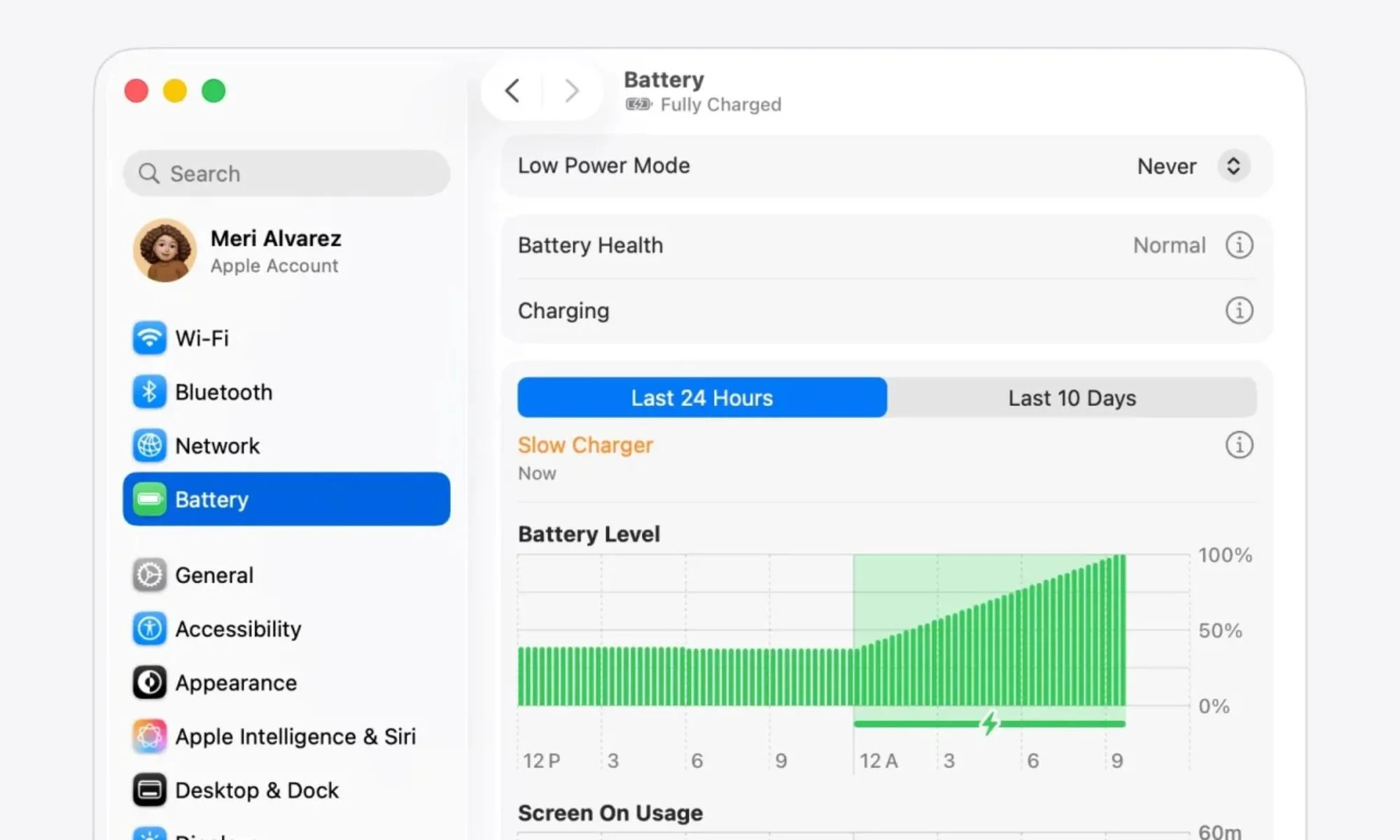
While Windows-based laptops have long offered similar diagnostic transparency, MacBook users have historically lacked clear system-level feedback regarding charging inefficiencies. Whether the culprit is an underpowered adapter, a non-certified cable, or a USB-C hub restricting power throughput, identifying the root cause previously required manual troubleshooting. This new indicator removes that ambiguity entirely, delivering instant notification when charging performance falls below optimal thresholds.
What to do if you see the "Slow Charger" warning on your Mac
According to Apple's official support documentation, the "Slow Charger" notification manifests in both the battery menu bar and directly above the battery level visualization within system settings whenever macOS identifies insufficient power delivery. Should this warning appear following the latest update installation, Apple advises transitioning to a charger and cable combination that satisfies your MacBook model's minimum wattage specifications. These power adapter requirements are documented on Apple's support portal.
While the Slow Charger indicator represents an incremental system enhancement rather than a transformative feature, it addresses a genuine usability gap that should significantly streamline power troubleshooting for MacBook users.